 Home
Home
 About Us




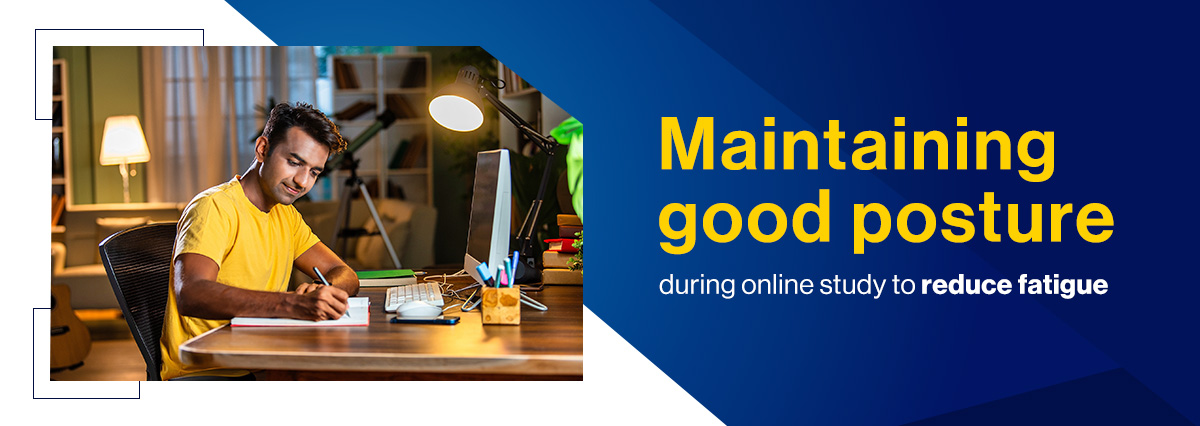
As a student pursuing higher education, you spend hours at e-learning portals. Without a proper learning structure and environment, this can lead to exhaustion. Extended screen time and poor study habits often lead to draining fatigue, distracting aches, and reduced concentration. That persistent neck ache or dull back pain is not just annoying; it steals your mental energy. As one of the trusted online course platforms, we aim to support your learning experience. Proper posture and ergonomics can ease discomfort and improve focus. With simple adjustments to your study space, you can reduce fatigue and enhance productivity. Here, we share key tips to help you create a healthier and more effective online learning environment.
The hidden link between poor posture and brain fatigue
Sustained slouched positions restrict breathing capacity and affect the heart and phrenic nerve, as per a study. This physiological change can indirectly affect your comfort, attention span, cognitive processing, and information retention, making you feel mentally exhausted even when the material is engaging.
1. What is the ideal sitting posture for students?
The goal is to align your body’s major joints in a neutral, relaxed position. This ensures minimal muscle effort is required to hold your position.
- Spine alignment: Sit all the way back in your chair when you browse online. The backrest should support the natural curve of your lower back (lumbar region).
- Arm angle: Keep your elbows close to your sides, bent at a 90 to 110-degree angle. Your forearms should be parallel to the floor.
- Leg position: Feet must be flat on the floor or on a footrest. Your knees should be at or slightly below the level of your hips. Avoid dangling your feet or crossing your legs for extended periods
2. Setting up your computer workstation for comfort
Screen placement is critical for preventing the common "forward head posture," which strains the neck muscles.
- Eye Level: Position the top third of your screen so it is at or slightly below your seated eye level. You should be able to view the screen without tilting your head up or looking down excessively.
- Distance: The screen should be about an arm’s length away from you (approximately 20–40 inches).
- Laptop solution: If you use a laptop, elevate it on a stand or stack of books to raise the screen to eye level. Then, use a separate, external keyboard and mouse to keep your arms and wrists in the correct neutral position.
3. Adjusting your input devices
The keyboard and mouse should accommodate your natural arm and wrist position, not the other way around.
- Keyboard placement: Position the keyboard directly in front of you when attending classes on online course platforms. Ensure your wrists remain straight and flat when typing.
- Mouse use: Keep the mouse as close to the keyboard as possible to avoid unnecessary reaching, which fatigues the shoulder and arm muscles.



 Previous Post